


Chat customizationMatch your stream style
- Custom colors
- Custom fonts
- Accent glow
- Message background
- Username colors
BIGBRAUZ OVERLAYS
Couldn't load pickup availability
Turn your stream chat into part of your visual identity with this sleek cyberpunk-inspired neon widget. Soft cyan and pink lighting creates a futuristic atmosphere while keeping the overall design minimal, clean, and easy on the eyes.
Made for StreamElements, Twitch, and OBS, this chat overlay is built to look great without covering too much of your gameplay or stream content. Different viewer roles such as subscribers, moderators, and VIPs are visually highlighted, helping important messages stand out naturally.
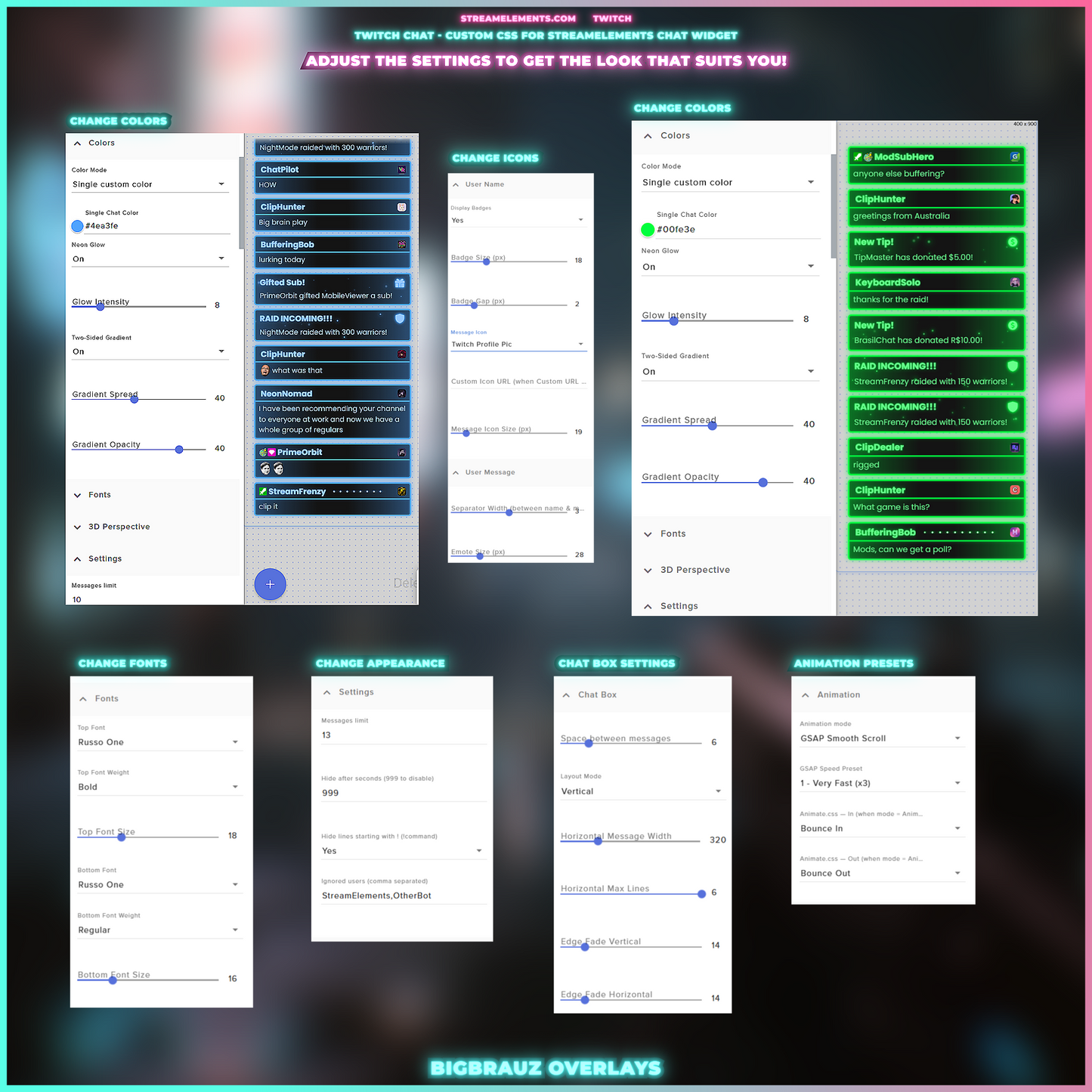
The widget is highly flexible, so you can easily adjust the colors, typography, glow intensity, layout, and message behavior to fit your own stream branding. Smooth animated transitions give the chat a polished feel while keeping conversations easy to follow.
Included features:
✨ Built-in alerts for followers, subs, raids, cheers, and tips
🎨 Editable colors, fonts, highlights, and neon effects
↔️ Horizontal and vertical chat layouts
💬 Custom message limit and on-screen duration
🌀 Animated message appearance and removal
🖥️ Designed for StreamElements and compatible with Twitch + OBS
📄 Detailed setup instructions included
Setup Guide:
https://www.youtube.com/watch?v=8womn6-j0Yk
You will receive a download link to the email address you provided during payment. The download link will also appear immediately after your purchase and can always be found in your purchase history.
This is a ready-made code for the widget platform.
You can safely use this overlay package on your own streaming channel, including monetized streams and videos.
All included overlay assets are created for streaming use and can be used on Twitch, YouTube, Kick, TikTok Live, and other platforms.
You may not resell, redistribute, share, or include the original files in another product.
One purchase is for one creator, brand, or channel.


What is included