Skip to product information
1 of 14

BIGBRAUZ OVERLAYS

Simple RGB Neon Stream Chat

Simple RGB Neon Stream Chat

Regular price $8.00 USD
Regular price Sale price $8.00 USD
Sale Sold out
Tax included.

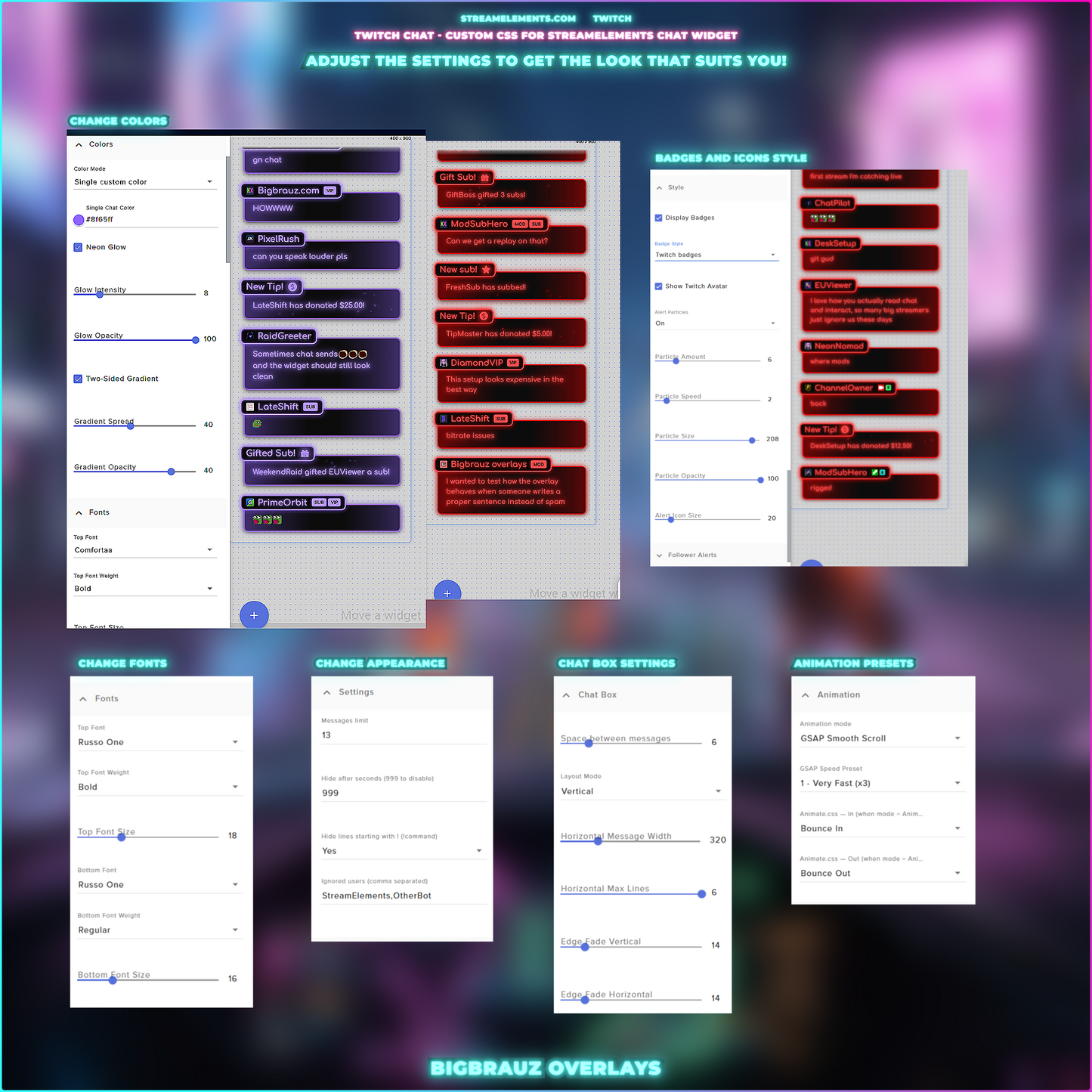
Neon RGB Chat Widget is a stylish StreamElements chat overlay designed for Twitch streams with a bold, modern look. Messages appear in glowing neon panels with RGB colors, smooth glow, two-sided gradients, and clean badge styling. The widget supports chat messages, emotes, Twitch badges, avatars, and alerts for followers, subs, resubs, donations, bits, raids, and gifted subs. You can customize colors, glow opacity, fonts, sizes, spacing, border radius, particles, and badge style. Perfect for streamers who want a clean, readable, and professional chat overlay on screen.

📄 Detailed setup instructions included

Setup Guide:
https://www.youtube.com/watch?v=8womn6-j0Yk

Compatible with streaming platforms:

  • Twitch

Works with popular streaming software:

  • OBS Studio
  • Streamlabs OBS
  • Twitch Studio
How to download?

You will receive a download link to the email address you provided during payment. The download link will also appear immediately after your purchase and can always be found in your purchase history.

What do I get?

This is a ready-made code for the widget platform.

Personal use License

View full details

What is included

Detailed package contents

Neon RGB color modesBright per-message styling
  • RGB colors
  • Twitch user colors
  • Blue colors
  • Purple neon colors
  • Neon mode
  • Single custom color
Neon chat designClean glowing stream look
  • Glowing message panels
  • Two-sided gradients
  • Neon borders
  • Tinted backgrounds
  • Soft glow opacity
  • Rounded chat cards
  • Readable name plates
Chat appearanceFine-tune every detail
  • Custom fonts
  • Font weights
  • Font sizes
  • Message spacing
  • Border radius
  • Border thickness
  • Glow intensity
Chat layoutsVertical or horizontal
  • Vertical layout
  • Horizontal layout
  • Horizontal message width
  • Horizontal max lines
  • Top message alignment
  • Auto hide messages
Message controlsControl the chat flow
  • Message count
  • Display duration
  • Command filtering
  • Ignored users
  • Twitch avatars
  • Twitch badges
  • Custom badge styling
Stream alertsMatching alerts included
  • New follower
  • New subscriber
  • Resub alert
  • Gifted sub
  • New raid
  • Bits cheer
  • Donation alert
Neon effectsAnimated stream energy
  • Neon glow
  • Glow opacity
  • Animated gradients
  • Alert particles
  • Particle opacity
  • Particle size
  • Particle speed
Badge stylesChoose your chat identity
  • Mini label badges
  • Twitch badge mode
  • MOD badge
  • SUB badge
  • VIP badge
  • STREAMER badge
  • Test subscriber badges
Smooth animationsPolished stream motion
  • GSAP smooth flow
  • Entry animations
  • Exit animations
  • Animate.css support
  • Animated borders
  • Soft glow movement
  • Optional 3D perspective
Compatibility & setup
StreamElements compatible Twitch compatible OBS compatible Twitch chat ready Step-by-step setup guide Easy customization Custom widget files included